Instagram Close Friends List: How to See Who's on It (2026)
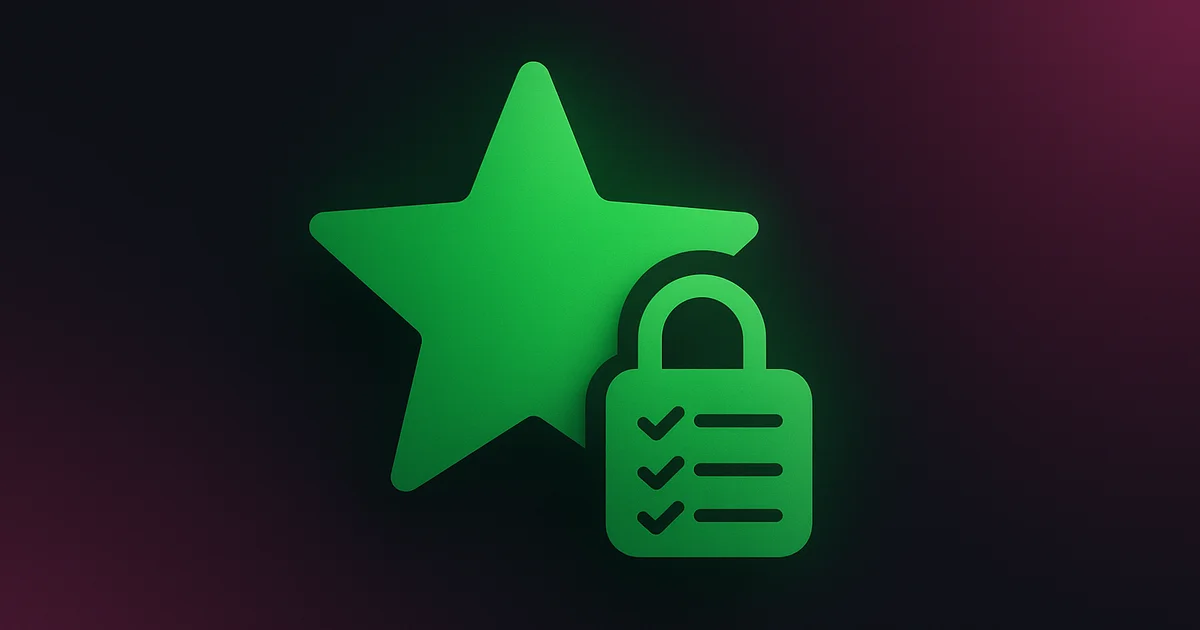
Instagram's Close Friends feature lets users share Stories with a select group instead of all followers. If you have ever seen that green circle around someone's Story, you know you are on their Close Friends list. But what about finding out who else is on it? Or whether you have been removed? Here is what you need to know.
What Is the Close Friends List?
Close Friends is a private list that every Instagram user can create. When you post a Story and select "Close Friends," only people on that list can see it. These Stories appear with a distinctive green ring (instead of the standard pink/orange ring) and a green "Close Friends" label.
Key facts:
- Each user has only one Close Friends list (you cannot create multiple)
- There is no limit to how many people you can add
- Adding or removing someone does not send them a notification
- Only you can see the full list of who is on your Close Friends list
Close Friends Is Not Just Stories Anymore (2026)
Close Friends stopped being a Stories setting. The same single list can now be picked for a feed post, a Reel and a Note, and the green marker you are hunting for changes depending on which one she used. A Story sent to Close Friends puts a green ring around her profile picture. A feed post or a Reel sent to Close Friends carries a small green Close Friends badge, the star, in the corner instead.
That is the part almost every older guide is still stuck on. They tell you to watch for the green ring. So if she quietly moved her private posting over to feed posts and Reels, no ring ever shows up and you decide nothing is going on.
| Where she posts it | If you are on the list | If you are not |
|---|---|---|
| Story | Green ring around her Story circle plus a Close Friends label | Nothing, the Story does not appear for you at all |
| Feed post | Green Close Friends star in the corner | The post does not exist for you |
| Reel | Close Friends label and the green star | It never lands in your Reels feed |
| Note | Her Note sits at the top of your DM inbox | No Note from her |
And because the audience is locked to that list, none of it can reach you sideways. Close Friends content does not turn up in Explore, in hashtags or in the Reels feed, so there is no back door and no lucky accident.
What she cannot curate is the public side. Track her public following list on Lurk and every new follow it detects shows up newest first, green circle or not.
Try Lurk free
See who anyone just followed, instantly, anonymously.
Can You See Someone Else's Close Friends List?
No, you cannot. Instagram keeps the Close Friends list completely private. Only the account owner can view who is on their list. There is no setting, hack, or third-party tool that can reveal someone's full Close Friends list.
What you CAN know:
- If you are on their list — You will see their Close Friends Stories (green ring)
- If you are NOT on their list — You will not see those Stories at all (you will not even know they posted one)
What you CANNOT know:
- Who else is on their Close Friends list
- How many people are on their list
- When you were added or removed
How to Tell If You Were Removed
This is tricky because Instagram does not notify you. Here are the indirect signs:
You stopped seeing green-ring Stories. If you used to see someone's Close Friends Stories regularly and suddenly stopped, you may have been removed. However, they might have also just stopped posting Close Friends Stories.
Ask a mutual friend. If a mutual friend mentions seeing a Close Friends Story from that person and you did not see it, you have likely been removed.
Pay attention to timing. If the disappearance of Close Friends Stories coincides with a change in your relationship (a disagreement, reduced interaction, etc.), removal is more likely.
The Signs That Mean Nothing (and the One That Does)
Most of the Close Friends tells people repeat online are made up, and chasing them will have you reading a whole story into nothing. Here is what actually carries information and what does not.
| What people say | What is actually true |
|---|---|
| Story viewer order shows who she is closest to | Viewer order is its own ranking and has nothing to do with any Close Friends list. On a Close Friends Story every viewer is already on the list anyway |
| A mutual friend can read you the list | She cannot. Only the owner ever sees the list |
| Some app can pull the list | Instagram never exposes this data anywhere, so the app is guessing or it is after your login |
| You get a notification when you are cut | There is none, in either direction. Instagram says people are not notified when they are added or removed |
| She gets an alert if you screenshot her Close Friends Story | She does not. Instagram does not send screenshot alerts for Stories |
There is one real leak and almost nobody uses it. Likes and comments on Close Friends content are visible to everyone else on the list, so a mutual who IS on it can see the names of other people reacting to that Story or post. She cannot hand you the list, but she can hand you a few names off it.
Apart from that the only honest signal has not changed. A green ring or a green star means you are in. Both gone for weeks while she is obviously still posting publicly means you are out.
The public side is the side she cannot curate. Her following list keeps moving whether you made the cut or not, so watch it on Lurk, see the new follows and unfollows as they get detected, and get an alert when one lands.
Why Close Friends Lists Matter for Relationships
The Close Friends feature has become loaded with social meaning, especially among younger users:
Romantic interest. Being added to someone's Close Friends list is often interpreted as a sign of special interest. Conversely, being removed can signal cooling feelings.
Social hierarchy. Some users curate their Close Friends list carefully, and being on (or off) the list carries social weight within friend groups.
Exclusive content. Some creators use Close Friends for premium or personal content, creating an inner circle of their most valued followers.
Tracking What You CAN See
While you cannot view someone's Close Friends list, you can track their public activity — which often reveals just as much about their interests and relationships:
Follow activity. Who someone follows (and unfollows) on Instagram tells you a lot about who they are interested in. Use Lurk to track follows on any public account and see in real time who they are connecting with.
Public Story activity. Even users who post heavily to Close Friends also post public Stories. Viewing these anonymously through our Story viewer lets you stay informed without leaving a trace.
Following list changes. If someone adds a new person and that person suddenly appears on their following list, it might indicate a growing connection. Lurk tracks these changes automatically.
Close Friends vs. Private Account
Some people confuse Close Friends with private accounts. They are different:
| Feature | Close Friends | Private Account |
|---|---|---|
| Applies to | Stories only | All content |
| Who can see | Selected list | Approved followers |
| Visible to outsiders | No indication | Shows "Private" label |
| Can be tracked by Lurk | No (private content) | No (private content) |
| Public Stories still visible | Yes | No |
That first row is the old rule and it needs saying plainly. Close Friends is not Stories only any more. It now covers Stories, feed posts, Reels and Notes, while a private account still gates absolutely everything behind an approved follow.
If an account is public, Lurk can track their public following activity even if they use Close Friends for some Stories. The public following list is always visible.
How to Build or Edit Your Own Close Friends List
Nobody gets told when you add them and nobody gets told when you take them off, so you can rebuild the list whenever you feel like it. It takes about ten seconds.
- Open your profile and tap the menu icon in the top right
- Tap Close Friends, it sits with the settings for who can see your content
- Tap anyone you want on the list, a green check appears next to the name
- Tap a green check again to take that person off
- Tap Done
Three things worth knowing before you go on a cutting spree:
- You only get one Close Friends list, so it has to work for every single thing you send to it
- Nobody is notified either way, but people on the list know they are on it, so someone you cut will notice the green ring stopped showing up
- Everyone on the list sees what you post there, including the one person you forgot was on it, and they see each other's likes and comments on it
That last one is how most people get caught. Check the list before you post, not after.
Apps Claiming to Reveal Close Friends Lists
If you see an app or website claiming it can show you who is on someone's Close Friends list, it is a scam. Instagram does not expose this data through any API or public endpoint. These apps typically:
- Ask for your Instagram login credentials (security risk)
- Show you fake data pulled from your mutual followers
- Generate random lists to appear functional
- Harvest your data for advertising or sale
Do not trust them. For legitimate Instagram tracking, stick to tools that are honest about their capabilities. See our comparison of real tracking apps for options that actually work.
The Bottom Line
Instagram's Close Friends list is private by design and cannot be viewed by anyone other than the list owner. No tool can change that. What you CAN do is track public activity — follows, unfollows, and public Stories — to understand someone's interests and connections. Try Lurk for anonymous, real-time monitoring of any public Instagram account.
Ready to try Lurk?
See who anyone just followed on Instagram, 100% anonymous, no login required.
Instagram never tells them their following list was viewed.

Keep reading
How to See Who Someone Followed on Instagram (2026)
Step-by-step guide to see exactly who anyone just followed on Instagram — anonymously, without them knowing. Free tool included.
How to See Someone's Following List on Instagram (Full Guide 2026)
Instagram orders someone's Following list for you, not by date. Here's how to see it anyway and catch their new follows, newest first.
How to See Who Someone Recently Followed on Instagram (2026 Update)
Updated guide to seeing who someone recently followed on Instagram. Works in 2026 — no login, no app download, instant anonymous results.
Compare the best Instagram tools (2026)
Independent, regularly-updated rankings, plus the original follow-behavior dataset.
- Best Apps to See Who Someone Recently Followed on Instagram (2026)
- Best Anonymous Instagram Story Viewers (2026)
- Best Instagram Follow Trackers (2026)
- How to See Who Someone Unfollowed on Instagram (2026)
- Best The Ick Alternatives in 2026 (Free & Cheaper Options)
- Best Free Instagram Story Viewers (Anonymous, No Login), 2026
- Best Snoopreport Alternatives in 2026 (Cheaper & Cross-Platform)
- Best DolphinRadar Alternatives in 2026 (With Mobile Apps)
- Best Katch Alternatives in 2026 (Cheaper, With an iPhone App)
- Best Instagram Activity Trackers (2026)
- The Best Way to See Who Someone Unfollowed on Instagram (2026)
- Best Free Instagram Follower Trackers (2026, Honest Guide)
- Best Apps to Track a Specific Instagram Account (2026)
- Best Anonymous Instagram Follower Trackers (2026)
- The Lurk Instagram Follow Index (original data)
- All Instagram tool roundups →
See who any account recently followed
Track any Instagram account and see exactly who they recently followed, anonymously and with no login.
- @candedavi@candedavi
- @sexy.reika@sexy.reika
- @ivana.santacruz@ivana.santacruz
- @_szalvesss@_szalvesss
- @nalyssasmith@nalyssasmith
- @dzidzio@dzidzio
- @tuvaetterlidkjos@tuvaetterlidkjos
- @kris2bl3ssd@kris2bl3ssd
- @aufadinascova@aufadinascova
- @realcamillaara@realcamillaara
- @hairbykarleyjade@hairbykarleyjade
- @0kankose@0kankose
Keep exploring
More free Instagram tools, live data, and answers from Lurk.
- HubInstagram questions & answersStraight answers to the questions people ask most about Instagram.
- HubInstagram terms glossaryPlain definitions for Instagram tracking and privacy terms.
- HubFree Instagram toolsEvery free Lurk tool in one place: viewers, trackers, and checks.
- Live dataThe Instagram Follow IndexLive aggregate data on how people follow and unfollow on Instagram.
- CompareCompare follow trackersLurk vs The Ick, Snoopreport, and Katch, side by side.
- Free toolAnonymous Instagram profile viewerSee any public Instagram profile without them ever knowing it was you.