How to See Who Someone Recently Followed on Instagram (2026 Update)
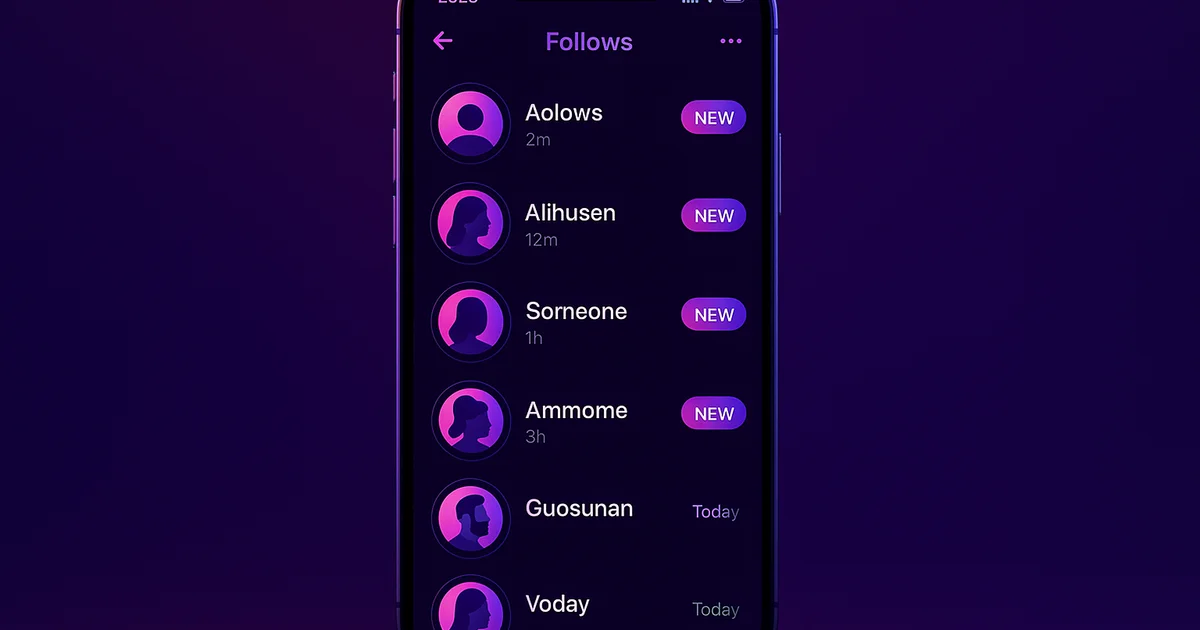
One of the most common questions people ask about Instagram is simple: how do I see who someone recently followed? It sounds like it should be easy — Instagram shows a following list right on every public profile. But actually figuring out who was recently added to that list is a completely different challenge.
The Problem: Instagram Hides Recent Follow Activity
When you visit someone's Instagram profile and tap on their "Following" count, you see a long list of every account they follow. But here is the critical issue: Instagram does not sort this list by date. There is no "recently followed" option, no chronological order, and no timestamps. The list is arranged algorithmically, mixing accounts they followed yesterday with ones they followed three years ago.
This means that even if you check someone's following list every single day, you would have no reliable way to spot the newest additions. You would need to memorize every account on the list — or take screenshots and compare them manually — to catch a single new follow.
Instagram deliberately designed it this way after removing the "Following" activity tab in 2019. Back then, you could see a real-time feed of what people you follow were doing on Instagram. The feature was removed because it was causing too much social tension. Since then, there has been no native way to track someone's follow activity.
Method 1: Use Lurk for Instant Results
The fastest and most reliable way to see who someone recently followed is to use Lurk's free web tool. It works by taking regular snapshots of a public Instagram profile's following list and comparing them to detect changes.
How to do it:
- Open your browser on any device
- Go to getlurk.app/username
- Type in the Instagram username you want to check
- See their recent follows displayed instantly with profile pictures and timestamps
The entire process takes less than 30 seconds. You do not need to log in with your Instagram account, download an app, or create any kind of account. The person you are checking will never know.
Try Lurk free
See who anyone just followed, instantly, anonymously.
Method 2: Manual Screenshot Comparison
If you prefer a no-tool approach, you can try the manual method. Visit the person's Instagram profile, tap "Following," and take screenshots of their entire following list. Wait a few days, then repeat the process and compare the two sets of screenshots to find new additions.
This method is completely free but has serious drawbacks. It is extremely time-consuming for accounts following more than a few hundred people. It cannot catch quick follow-and-unfollows between your checks. And it requires meticulous attention to detail since the list order changes between visits.
Method 3: Set Up Ongoing Monitoring
For continuous tracking rather than one-time checks, download the Lurk app from the App Store or in your browser. Add the username you want to track and enable push notifications. Lurk will check their following list every hour and send you an alert the moment they follow someone new.
This is ideal if you want to know about every new follow as it happens, rather than checking periodically. Each notification includes the username, profile photo, and detection timestamp of the newly followed account.
Why People Want This Information
The demand for this feature is massive, and the reasons are diverse:
Relationship monitoring — Partners want to see if their significant other is following new accounts that raise questions. This is by far the most common use case. For a dedicated guide on this topic, see our article on tracking your boyfriend's Instagram activity.
Competitive intelligence — Business owners and marketers track which accounts their competitors follow to discover potential partners, influencers, or industry contacts they might be missing.
Influencer research — Brands want to see who influencers are connecting with before and after partnership deals. Seeing who an influencer starts following can reveal upcoming collaborations.
Simple curiosity — Sometimes you just want to know what someone is into. The accounts a person follows say a lot about their current interests, hobbies, and social circles.
Is This Really Anonymous?
Yes, completely. Lurk accesses publicly available data — the same following list that anyone can see by visiting a profile on instagram.com. It never logs into your Instagram account, never interacts with the target profile (no likes, follows, or views), and never leaves any trace.
The person whose profile you are checking will never receive a notification, see your name in any list, or have any indication that their following activity is being monitored. For additional anonymous browsing options, you can also use our anonymous Instagram viewer.
Does This Work on Private Accounts?
No. If someone has set their Instagram account to private, their following list is hidden from everyone except approved followers. No external tool can access this data for private accounts. This applies to Lurk and every other tracking tool — it is a limitation of Instagram's privacy settings, not the tool itself.
What About Instagram's API?
Instagram's official API does not provide endpoints for tracking follow activity on other accounts. Even apps that use the official API cannot access this data. Tools like Lurk work by reading the publicly visible profile page, which is the same data you see when you visit instagram.com in your browser.
Start Checking Now
Stop scrolling through randomized following lists trying to spot changes. Check who someone recently followed — it takes seconds, it is free for instant checks, and it is 100% anonymous. For a deeper dive into the topic, read our complete guide to seeing who someone followed on Instagram.
Ready to try Lurk?
See who anyone just followed on Instagram, 100% anonymous, no login required.
Instagram never tells them their following list was viewed.


Keep reading
How to See Who Someone Followed on Instagram (2026)
Step-by-step guide to see exactly who anyone just followed on Instagram — anonymously, without them knowing. Free tool included.
Can You See Who Someone Followed on Instagram? Yes — Here's How
Instagram hides follow activity but there's a way. Learn how to see who someone recently followed on Instagram in real-time, 100% anonymously.
How to See Who Your Boyfriend Recently Followed on Instagram
A step-by-step guide to see exactly who your boyfriend recently followed on Instagram. Anonymous, instant, no login required.
Compare the best Instagram tools (2026)
Independent, regularly-updated rankings, plus the original follow-behavior dataset.
- Best Apps to See Who Someone Recently Followed on Instagram (2026)
- Best Anonymous Instagram Story Viewers (2026)
- Best Instagram Follow Trackers (2026)
- How to See Who Someone Unfollowed on Instagram (2026)
- Best The Ick Alternatives in 2026 (Free & Cheaper Options)
- Best Free Instagram Story Viewers (Anonymous, No Login), 2026
- Best Snoopreport Alternatives in 2026 (Cheaper & Cross-Platform)
- Best DolphinRadar Alternatives in 2026 (With Mobile Apps)
- Best Katch Alternatives in 2026 (Cheaper, With an iPhone App)
- Best Instagram Activity Trackers (2026)
- The Best Way to See Who Someone Unfollowed on Instagram (2026)
- Best Free Instagram Follower Trackers (2026, Honest Guide)
- Best Apps to Track a Specific Instagram Account (2026)
- Best Anonymous Instagram Follower Trackers (2026)
- The Lurk Instagram Follow Index (original data)
- All Instagram tool roundups →
See who any account recently followed
Track any Instagram account and see exactly who they recently followed, anonymously and with no login.
- @missing_merlin@missing_merlin
- @delusionalguy@delusionalguy
- @that_annoying_asian@that_annoying_asian
- @kajuuu3777@kajuuu3777
- @andreferreira1471@andreferreira1471
- @petterbhattu@petterbhattu
- @gabog00n@gabog00n
- @zack_lester1@zack_lester1
- @mackenzie@mackenzie
- @carta_a_mae25@carta_a_mae25
- @sheikh_shaheer_ahmad@sheikh_shaheer_ahmad
- @jacetheace2021@jacetheace2021
Keep exploring
More free Instagram tools, live data, and answers from Lurk.
- HubInstagram questions & answersStraight answers to the questions people ask most about Instagram.
- HubInstagram terms glossaryPlain definitions for Instagram tracking and privacy terms.
- HubFree Instagram toolsEvery free Lurk tool in one place: viewers, trackers, and checks.
- Live dataThe Instagram Follow IndexLive aggregate data on how people follow and unfollow on Instagram.
- CompareCompare follow trackersLurk vs The Ick, Snoopreport, and Katch, side by side.
- Free toolAnonymous Instagram profile viewerSee any public Instagram profile without them ever knowing it was you.